Having Issues Connecting to Plaid?
If Your Broker Does Not Enable Lossdog Uploads Through Plaid:
Some brokerage platforms/banks are not supported by Plaid. But, you can still upload your portfolio to Lossdog. Please follow the instructions in this example …
Even though a broker may appear on Plaid’s list of supported brokers, there may be an issue which prevents integration with Plaid. If for any reason your broker does not connect with Plaid but you wish to utilize Lossdog’s portfolio optimization features, please refer to these directions on how to download your portfolio as a CSV file.





How To Download Your Tastytrade Brokerage Account Portfolio As A CSV File
Example: tastytrade
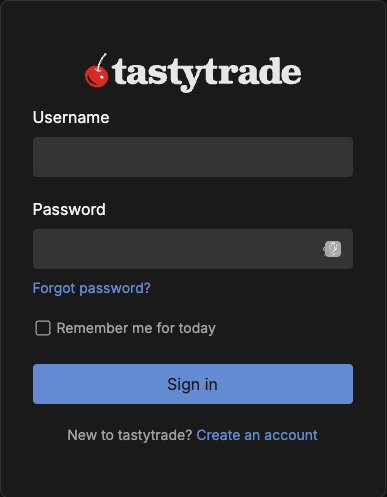
Step 1: Enter Your Login Info
Go to the Tastytrade website and enter in your login info.
Step 2: Go to Trading Tab
At the top of the page, select the trading tab.
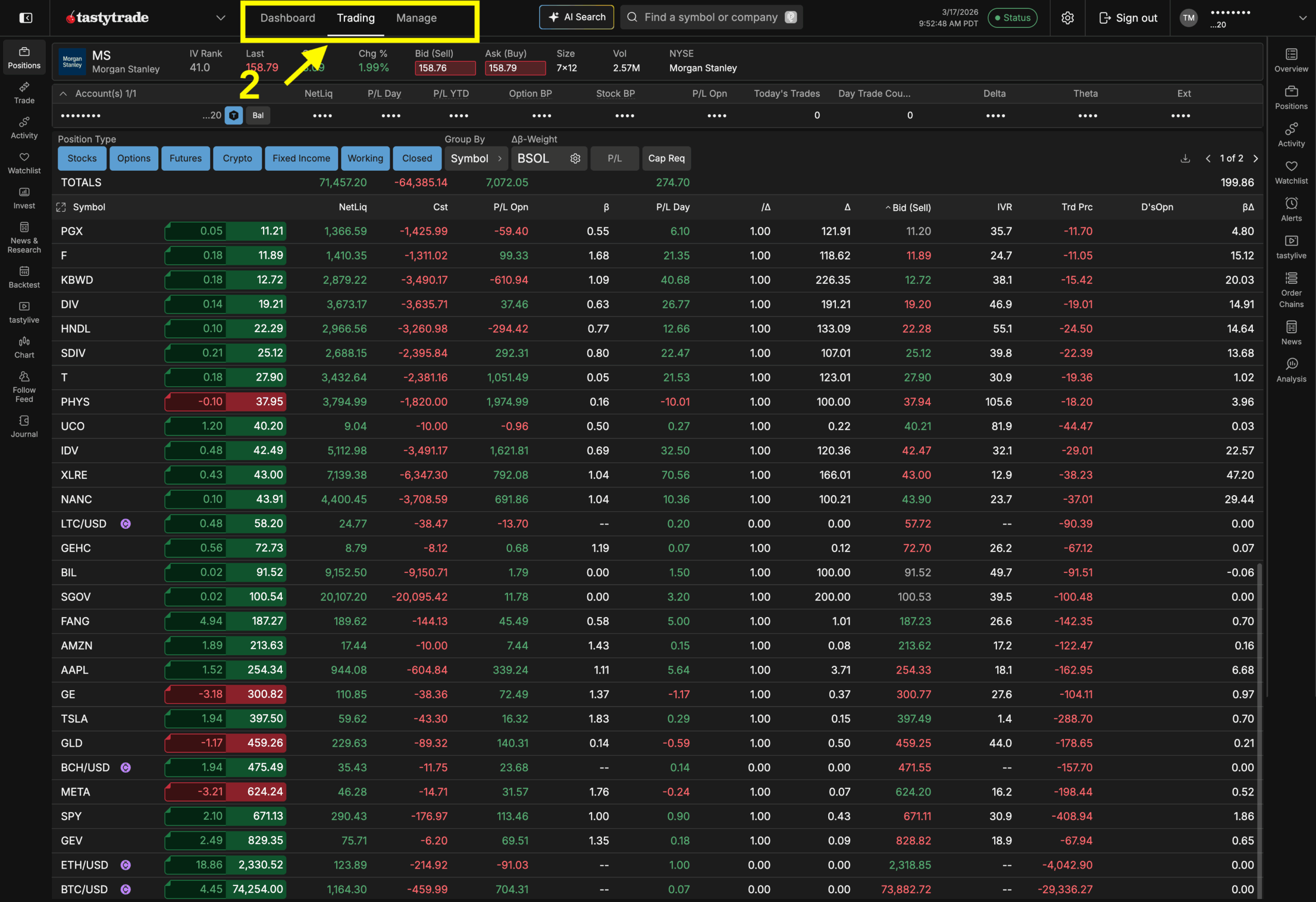
Step 3: Select Positions
Make sure to select all positions.

Step 4: Click the Download Icon
Click the download icon and select CSV as the file format.
